

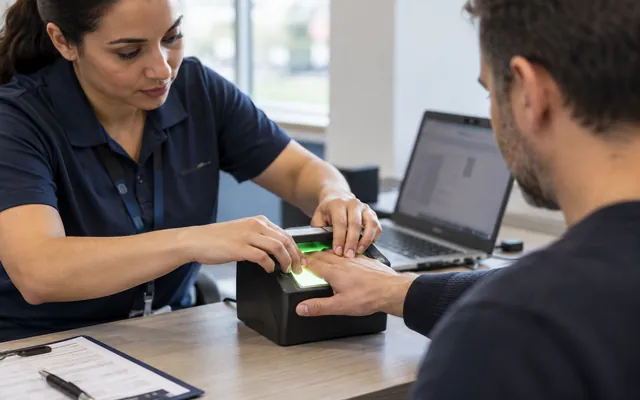
Start with the fingerprints your application needs.
Does your application ask for LiveScan, an FD-258 card or another fingerprint format? Bring the receiving agency’s instructions so we can check the available service, submission route and required provider approvals before arranging an appointment. Local mobile and group visits also require confirmation.
Your quote identifies capture, submission, visit and extra-card charges separately. Fingerprint capture is one step in the application: the receiving agency handles its screening and eligibility review. Fingerprints prepared for one purpose may not satisfy another.
Is this the service you need?
When this fits
- You have instructions from the agency or organization receiving the fingerprints.
- You need to discuss electronic submission, physical cards or a group visit.
Other services that may help
- Background Screening
You need a screening report for a business decision and have no fingerprint instructions.
- Youth & Sports Background Screening
You are choosing checks for coaches or volunteers before confirming a fingerprint pathway.
Confirm the receiving instructions and current provider coverage before arranging an appointment. Capture alone does not establish eligibility.
What’s included.
Start with the agency instructions
Use the receiving agency’s instructions to choose between LiveScan, a physical card or an available card-conversion option.
Confirm the pathway and approval
If your instructions name DBPR, AHCA/Clearinghouse, DOH, DCF or VECHS, identify that agency in the request. Current submission support and the required provider approval must be confirmed for the exact pathway before an appointment is accepted.
Check support for your purpose
School, name-change, guardianship, and personal-history requests are optional or pathway-dependent. A listed purpose does not mean every submission is currently supported.
Separate visits from applicant orders
Mobile visits and group events change where capture happens. They do not replace the applicant’s underlying card or submission order.
Prepare for the Clearinghouse appointment
For Clearinghouse appointments, the official guidance calls for the generated request form and photo identification. Keep the transaction control number for submission follow-up.
What you’ll receive
- The confirmed agency or organization and accepted format.
- Preparation instructions for the accepted appointment or group visit.
- The cards, capture or electronic submission included in the order.
- Available transaction or delivery reference information, where applicable.
- A charge breakdown that distinguishes capture, agency submission and optional handling.
How it works.
Bring the receiving instructions
Review the agency, purpose, card or electronic format and required identifiers before choosing the service.
Check availability and charges
Check current appointments, supported provider coverage, what each applicant needs to bring and the separate capture, submission or visit charges.
Keep the transaction details
If the order is accepted, complete the selected capture, cards or submission and keep the available reference details for agency follow-up.
Know what to expect.
We’ll confirm the work, the updates you’ll receive and who to contact along the way.
- The agency instructions and approved card or electronic pathway for each applicant group.
- Which capture, photo, submission, card and delivery steps are included in the accepted order.
- The reference information available afterward and the contact route for a rejection or status question.
What helps us help you.
- The original instructions from the agency or organization receiving the prints.
- The required submission identifier or request form, when applicable.
- Applicant count, requested location and preferred appointment or group dates.
- Required format, card quantity, photo instructions and the capture or submission work you need.
What shapes your quote.
- Electronic pathway or physical-card format.
- Government and provider submission charges.
- Number of applicants and cards.
- Travel, event setup, and requested timing.
Tell us what you need help with. We’ll explain which records are needed and how to provide them. Personal reports, ID images and account files can wait until then.